Create Amazing Videos with RaceRender 3!
 Powerful Features Made Easy -
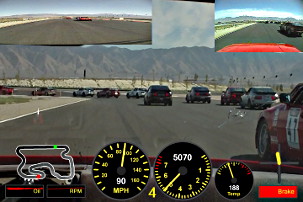
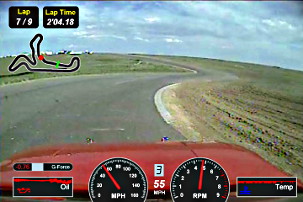
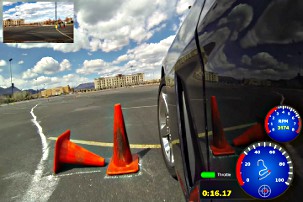
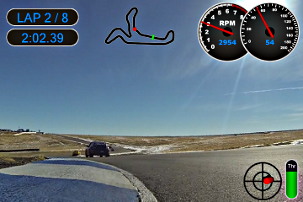
Quickly create amazing videos with custom data and graphics overlays, GPS telemetry,
multiple camera picture-in-picture, 360° video, and more. Impress your fans with
high-tech video of you in action!
Powerful Features Made Easy -
Quickly create amazing videos with custom data and graphics overlays, GPS telemetry,
multiple camera picture-in-picture, 360° video, and more. Impress your fans with
high-tech video of you in action!
Your Video + Your Data -
Use the cameras and data equipment that you already have! Works with GoPro, 360fly, Sony ActionCam, Garmin VIRB,
and
many others.
Visualizes data from a
huge selection
of GPS devices, data loggers, and apps.
Your Sports -
Create telemetry data overlays for your auto racing, autocross, rally / rallycross, drag racing, drifting, gymkhana,
motocross, aviation, sailing, cycling, mountain biking / MTB, running, and other activities! Works for any
track or course. Includes additional features for road course racing and track days.
More Action -
Show off the action from multiple camera angles with picture-in-picture video and camera switching,
or show it all with 360° panoramic video! Take quality to the next level with 4K Ultra High Definition.
Available for
Microsoft Windows®
and
Apple macOS®
Try RaceRender Today for Free!
(Ultra High Definition output and certain other features may require Windows 10 or macOS 10.10 "Yosemite" or newer)
Multiple Cameras
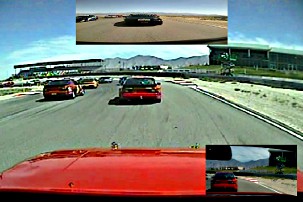
Works with many popular cameras and video file formats. Supports multiple cameras with picture-in-picture, split-screen, and camera-switching capabilities, as well as 360° video!

Data Overlays

Overlay data from a wide variety of data systems, GPS loggers, and even smartphone apps! File formats include CSV, VBO, NMEA, GPX, TCX, FIT, and others. Try yours today!
Go Even Further

Many great templates and styles are included so that you can make amazing videos right away, but why stop there? Easily change the look, colors, sizes, and layout to make it your own.
| Free Edition Download |
Deluxe Edition Buy Now! |
Advanced Edition & Ultimate Edition Buy Now! |
|
|---|---|---|---|
| Price | Free! | 39.95 USD |
Advanced:
49.95
USD
Ultimate: 59.95 USD |
| Maximum Output Video Length | 3 Minutes | Unlimited | Unlimited |
| RaceRender Logo on Videos Small logo can be moved to a position of your choice |
Full Logo | Flexible Reduced size Up to 40% transparent |
Advanced: Flexible Reduced size Up to 40% transparent |
| Ultimate: Optional Can be removed entirely |
|||
| 4K Ultra High Definition Video (subject to increased system requirements) |
Yes | Yes | Yes |
| 360° Panoramic Video Support | Yes | Yes | Yes |
| Multiple Video Cameras Picture-in-Picture, Split-Screen, Quad, etc. |
Yes | Yes | Yes |
| Customizable Layouts & Sizes | Yes | Yes | Yes |
| Trimming and Synchronization Tools | Yes | Yes | Yes |
| Picture Mirroring / Flipping | Yes | Yes | Yes |
| Basic Chroma Key | Yes | Yes | Yes |
| Transparency / Watermarking | Yes | Yes | Yes |
| Add Your Own Logos and Images | Yes | Yes | Yes |
| Deluxe Capabilities | Basic | Full Features | Full Features |
| Custom Text Overlays | Limited | Yes | Yes |
| Audio Volume & Balance Adjustments | No | Yes | Yes |
| Picture Cropping & Digital Zoom | No | Yes | Yes |
| Picture Rotation | No | Yes | Yes |
| Picture Adjustments Brightness, Contrast, Color, Hue, and others |
No | Yes | Yes |
| Maximum Input Files / Objects (subject to system and other technical limitations) |
6 | 128 | 128 |
| Maximum Display Objects | 32 | 256 | 256 |
| Maximum Timeline Segments | 3 | 64 | 64 |
| Data Overlay Customizations | Basic | Basic | Full Features |
| Support for Auxiliary Data Channels | Yes | Yes | Yes |
| Import Realistic Background Images (available for most data display objects) |
Limited | Limited | Full |
| Track Map & Position | Basic | Basic | Full |
| Speed Display | Basic | Basic | Full |
| Engine RPM Display | Basic | Basic | Full |
| Traditional Gauges | Basic | Basic | Full |
| Enhanced Displays Shift Lights, Gear Knobs, Unique Gauges, and more! (scriptable for an advanced level of customization) |
Basic | Basic | Full |
| Bar / Level Graph | Full | Full | Full |
| 2D Graph | Basic | Basic | Full |
| G-Force Plot | Full | Full | Full |
| Text Data Display | Basic | Full | Full |
| Lap Number & Timer | Basic | Basic | Full |
| Gear Indicator | Basic | Basic | Full |
Features and capabilities are subject to system and other technical limitations or requirements.
Data features depend on compatibility with data provided by other products. Some features are not functional with all data systems or sources.
Features, capabilities, compatibility, pricing, etc. are subject to change at any time and without notice.